Military Time: Complete Guide to 24-Hour Clock for Timecards & Payroll
Quick Answer: Military time is a 24-hour clock system that eliminates AM and PM. Hours run from 0000 (midnight) to 2359 (11:59 PM). To convert, add 12 to any PM hour, so 2:00 PM becomes 14:00. It is used in payroll, healthcare, military & shift-based industries for unambiguous time tracking.
Most payroll errors start with one thing, AM/PM confusion. Military time fixes that completely. Instead of resetting at noon, the 24-hour clock runs straight from midnight to 11 PM, giving every moment its own unique number. It’s why the US military, hospitals, and emergency services all use it, and why understanding it makes your timecard math faster and error-free.
What Is Military Time?
Military time runs on a single continuous count from 0000 to 2359. Every hour has one number and one meaning. 6 AM is 0600. Noon is 1200. 6 PM is 1800. 11 PM is 2300. No AM, no PM, no confusion on any timecard or payroll record.
The name comes from its use in the armed forces, where a wrong hour in a field operation, a missed medication dose, or a delayed emergency response can have serious consequences. Hospitals, air traffic control, and emergency services all adopted the same 24-hour clock standard, precision matters when shifts run around the clock and AM/PM ambiguity is not an option.
On the military side, the 24-hour clock is not just a preference, it is a formal requirement. The US military follows NATO standardization agreements that mandate unified timekeeping across all allied forces, ensuring that a time logged in one country means exactly the same thing in another.
Military Time vs 24-Hour Time, What's the Difference?
Most people use these terms interchangeably, and for everyday purposes that's fine. Technically, though, there is a small difference.
Military time uses four digits with no colon, 1430, 0800, 2315 and has specific spoken pronunciations (more on that below). Civilian 24-hour time writes the same numbers with a colon , 14:30, 08:00, 23:15 and shows up on digital clocks, European train timetables, and international schedules.
For payroll and timecards, both formats work the same way. A good military time calculator or 24 hour clock time card calculator will accept either.
How to Read Military Time
Once you understand the structure, this becomes second nature quickly. The first two digits are always the hour, 00 for midnight through 23 for 11 PM. The last two digits are the minutes, 00 to 59, same as any clock.
Before noon, military time and standard time look nearly identical. 9:15 AM is 0915. 11:45 AM is 1145. The only thing that looks different is the leading zero on single-digit hours.
From noon onward, subtract 12 to get the PM equivalent. 1400 minus 12 is 2:00 PM. 1830 minus 12 is 6:30 PM. 2300 minus 12 is 11:00 PM. That's the whole trick.
How to Say Military Time Out Loud
Military time has its own spoken format, which is different from reading the digits as a plain number. On the hour, say the number followed by "hundred hours." 1400 is "fourteen hundred hours." 0800 is "zero eight hundred hours." 2100 is "twenty-one hundred hours."
When minutes are involved, read the hours and minutes as pairs. 1430 is "fourteen thirty hours." 0915 is "zero nine fifteen hours." 1755 is "seventeen fifty-five hours."
One thing to watch: 1000 is not "one thousand hours." It's "ten hundred hours." That's a mistake that marks someone as a newcomer fast.
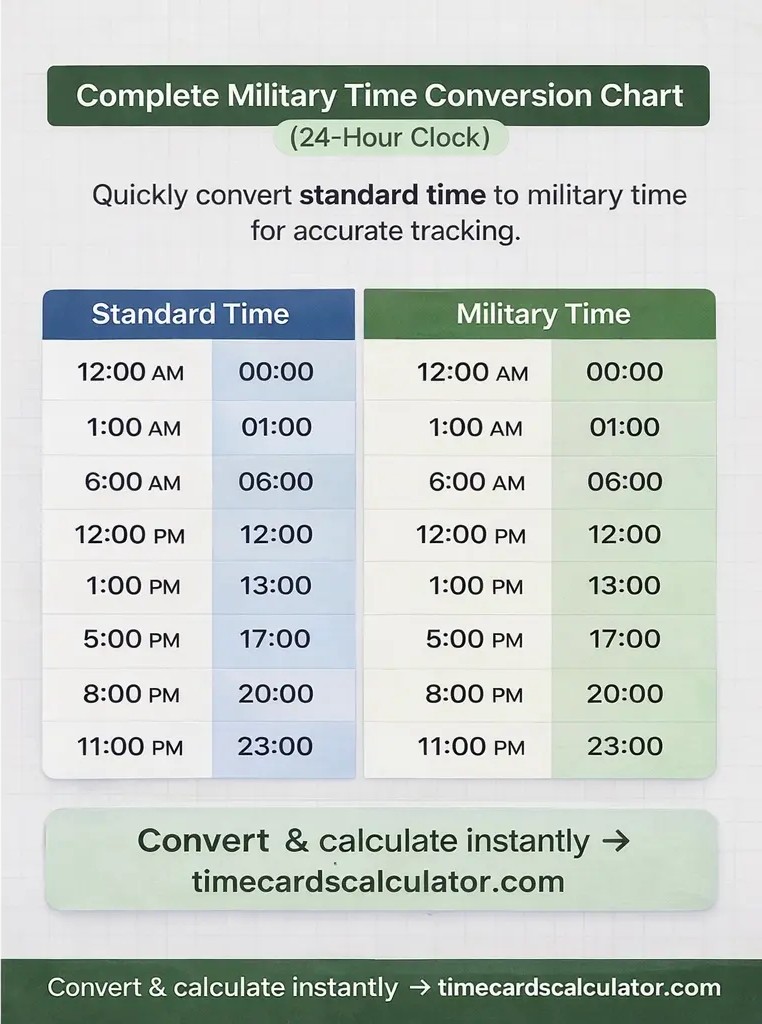
Complete Military Time Conversion Chart
Every hour of the day, in both standard and military format:
| Standard Time | Military Time | How to Say It |
|---|---|---|
| 12:00 AM (Midnight) | 0000 | Zero hundred hours |
| 1:00 AM | 0100 | Zero one hundred hours |
| 2:00 AM | 0200 | Zero two hundred hours |
| 3:00 AM | 0300 | Zero three hundred hours |
| 4:00 AM | 0400 | Zero four hundred hours |
| 5:00 AM | 0500 | Zero five hundred hours |
| 6:00 AM | 0600 | Zero six hundred hours |
| 7:00 AM | 0700 | Zero seven hundred hours |
| 8:00 AM | 0800 | Zero eight hundred hours |
| 9:00 AM | 0900 | Zero nine hundred hours |
| 10:00 AM | 1000 | Ten hundred hours |
| 11:00 AM | 1100 | Eleven hundred hours |
| 12:00 PM (Noon) | 1200 | Twelve hundred hours |
| 1:00 PM | 1300 | Thirteen hundred hours |
| 2:00 PM | 1400 | Fourteen hundred hours |
| 3:00 PM | 1500 | Fifteen hundred hours |
| 4:00 PM | 1600 | Sixteen hundred hours |
| 5:00 PM | 1700 | Seventeen hundred hours |
| 6:00 PM | 1800 | Eighteen hundred hours |
| 7:00 PM | 1900 | Nineteen hundred hours |
| 8:00 PM | 2000 | Twenty hundred hours |
| 9:00 PM | 2100 | Twenty one hundred hours |
| 10:00 PM | 2200 | Twenty two hundred hours |
| 11:00 PM | 2300 | Twenty three hundred hours |
| 11:59 PM | 2359 | Twenty three fifty nine hours |
Converting Military Time Across US Time Zones
Military time itself doesn't tell you which time zone it's in, it's just the format. To convert across US time zones, apply the standard offsets from UTC (Zulu time): Pacific is UTC minus 8, Mountain is UTC minus 7, Central is UTC minus 6, and Eastern is UTC minus 5. So 1800Z becomes 1000 PST, 1100 MST, 1200 CST, or 1300 EST. Between US zones, Eastern is always 3 hours ahead of Pacific, 2 hours ahead of Mountain, and 1 hour ahead of Central. If you're converting a military time from one US zone to another, just add or subtract the difference, no need to go through UTC first.
Converting Standard Time to Military Time
Two scenarios, two simple rules.
AM Times (12:01 AM through 11:59 AM)
Drop the colon, add a leading zero for single-digit hours, remove AM. Done.
- 7:00 AM → 0700
- 9:45 AM → 0945
- 11:30 AM → 1130
Exception: 12:00 AM midnight is 0000, not 1200.
PM Times (12:01 PM through 11:59 PM)
Add 12 to the hour, drop the colon, remove PM.
- 1:00 PM → 1 + 12 = 13 → 1300
- 3:30 PM → 3 + 12 = 15 → 1530
- 8:45 PM → 8 + 12 = 20 → 2045
- 11:59 PM → 2359
Exception: 12:00 PM noon stays 1200. Don't add 12 to noon, you'd get 2400, which isn't valid notation.
Converting Military Time to Standard Time
0000 to 1159 (AM Times)
Add a colon, drop the leading zero for single-digit hours, add AM.
- 0700 → 7:00 AM
- 0945 → 9:45 AM
- 1130 → 11:30 AM
Exception: 0000 is 12:00 AM midnight.
1200 to 2359 (PM Times)
Subtract 12 from the hour, add a colon, add PM.
- 1300 → 13 - 12 = 1 → 1:00 PM
- 1530 → 15 - 12 = 3 → 3:30 PM
- 2045 → 20 - 12 = 8 → 8:45 PM
- 2359 → 23 - 12 = 11 → 11:59 PM
Exception: 1200 stays 12:00 PM noon. Don't subtract 12 from it.
Common Conversion Mistakes to Avoid
Mixing Up Midnight and Noon
0000 is midnight (start of the day). 1200 is noon (middle of the day). This is the most common error people make, and it's worth triple-checking on any timecard.
Adding 12 to Noon
12:00 PM noon is already 1200 in military time. Adding 12 gives you 2400, which most systems don't recognize.
Missing the Leading Zero
1:00 AM is 0100, not 100. Military time is always four digits.
Subtracting 12 from AM Times
The minus-12 rule only applies when converting military time back to PM hours (1200–2359). Never apply it to AM times.
Reading 1200 as Midnight
It's noon. Every time.
Military Time in Payroll and Timecards
Hospitals, factories, call centers, and hotels, any workplace running round-the-clock operations commonly logs employee hours in military time. Under the Fair Labor Standards Act (FLSA), employers are required to maintain accurate records of all hours worked, regardless of whether those hours are logged in standard 12-hour or 24-hour military time format.
For payroll purposes, the format does not change the math, it only changes how you read the numbers. Here is how to calculate hours between two military times accurately.
Same-Day Shift
Start 0700, End 1530
1530 − 0700 = 0830 → 8 hours 30 minutes
Overnight Shift (Crossing Midnight)
Start 2200, End 0600
Add 2400 to the end time: 0600 + 2400 = 2600
2600 − 2200 = 0400 → 4 hours
Or convert both to standard time first: 10:00 PM to 6:00 AM = 8 hours.
Decimal Conversion for Payroll
Payroll systems run on decimal hours, not hours-and-minutes. Once you have your total, divide the minutes by 60.
- 8 hours 30 minutes → 30 ÷ 60 = 0.50 → 8.50 hours
- 8 hours 45 minutes → 45 ÷ 60 = 0.75 → 8.75 hours
A time card conversion calculator handles this automatically, enter the military start and end times and it outputs the decimal equivalent in one step. If your workplace logs in military time but your payroll software wants decimals, that's the tool you want.
For a full walkthrough of how decimal time works in payroll, see our guide on understanding decimal time and work hour conversion.
Using a Military Time Calculator for Payroll
Most payroll software accepts hours in decimal format, not military time directly. So the practical answer to using a military time calculator for payroll is a two step process: convert your military times to a duration first (1700 minus 0830 equals 0830, or 8 hours 30 minutes), then convert that duration to decimal (8.5 hours). Our free time card calculator handles both steps at once, enter your start and end times in 24-hour format and it returns your total hours in decimal, ready for payroll entry, without any manual conversion.
Industries That Use Military Time
Military Time in Healthcare & Hospitals
In healthcare, a time entry error is not just a payroll mistake, it can be a patient safety issue. Medication timing, nursing shift handoffs, and patient records all depend on exact timestamps where AM/PM confusion is not acceptable. For this reason, the Joint Commission, the organization that accredits US hospitals and healthcare facilities, recommends 24-hour time notation in all clinical documentation to eliminate scheduling errors and reduce the risk of medication mix-ups.
Military Time in Aviation & Air Traffic Control
Aviation runs on precision timing across multiple time zones simultaneously, making AM/PM notation completely unworkable. Every flight schedule, weather report, and air traffic communication uses 24-hour military time as the default. The Federal Aviation Administration (FAA) requires all air traffic communications to use 24-hour UTC notation as standard, and internationally, aviation takes this one step further by using Zulu Time, which is UTC expressed in military format, to ensure that a timestamp means exactly the same thing whether it is logged in New York, London, or Tokyo.
Military Time in Emergency Services
Police reports, 911 dispatch logs, and fire department records use military time to build a clean, unambiguous event timeline.
Military Time in Manufacturing & Logistics
Factories running round-the-clock shifts depend on 24-hour notation. Warehouses coordinating cross-time-zone shipments need it too.
Hospitality
Hotels with overnight staff, night audits, and 24-hour front desks often record all hours in military time.
Security
Overnight logs need to be precise. Military time removes any doubt about when something happened.
What Is Zulu time?
Zulu Time is the military and aviation term for Coordinated Universal Time (UTC), the single international time standard that every country, military, and aviation authority references. It is expressed in 24-hour military format and identified with the letter Z appended to the time, for example 1430Z means 14:30 UTC. The official standard is maintained by the International Bureau of Weights and Measures (BIPM), the international body responsible for global measurement standards, ensuring that Zulu Time remains consistent and universally recognized across all systems worldwide.
When a pilot says a flight departs at "1400 Zulu," that means 2:00 PM UTC, regardless of the airport's local time zone. It's the same principle as military time, one standard, no ambiguity.
For most payroll situations, Zulu Time doesn't come up unless you're managing teams across international time zones and need to anchor records to a single reference point.
Military Time and Overnight Shifts
Overnight shifts are where 24-hour time really earns its keep. A shift from 10:00 PM to 6:00 AM gets messy in standard time because the calendar date changes mid-shift. In military time, 2200 to 0600, the math is clean with the add-2400 method.
One thing to keep in mind: 0600 on a timecard doesn't automatically tell you whether that's the same morning the shift started or the next day. Context and the dates on the card make that clear. Always double-check when logging or reviewing overnight shifts.
If you work rotating night shifts or any schedule where clock-in & clock-out times vary daily, the 7-minute rounding rule may also affect how your employer calculates your total hours. Under federal guidelines, employers are permitted to round employee time entries to the nearest quarter hour, which means even a precisely logged military time entry can be adjusted before it reaches your paycheck.
Using This Calculator With Military Time
This timecard calculator accepts 24-hour time directly. Enter start and end times in military format, no AM/PM toggles needed.
Switch to the 24-hour display in settings, and all entries and outputs appear in military format. Total hours, overtime, and decimal equivalents all calculate the same way, just displayed differently.
If your workplace records time in military format and your payroll system expects decimal hours, this calculator handles the full conversion in one step.
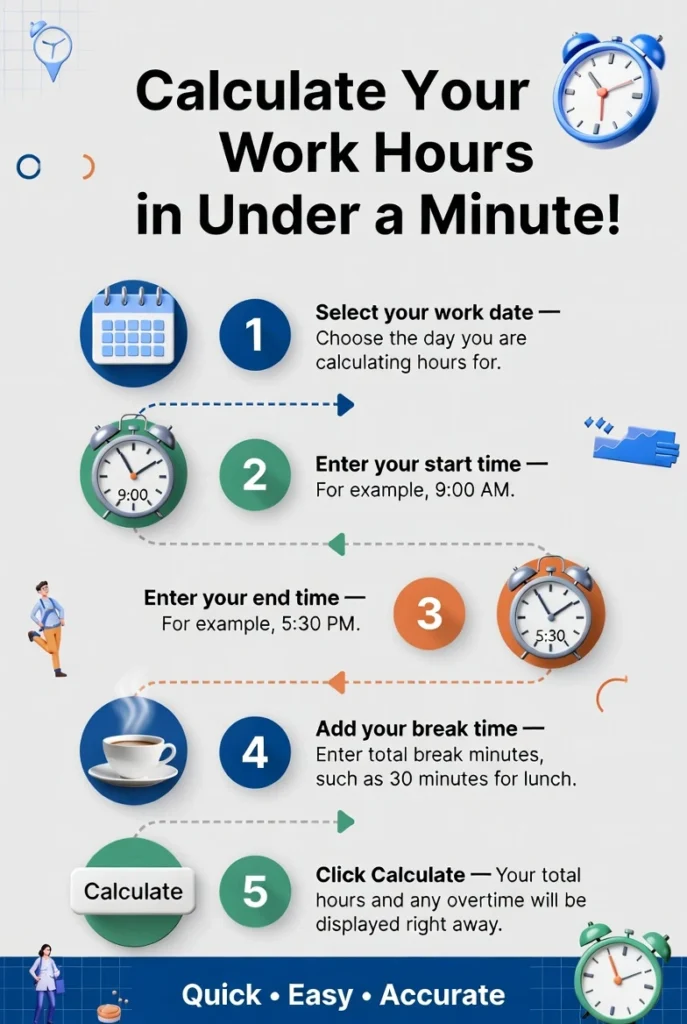
Ready to calculate your military time shifts? Our free time card calculator accepts both 12-hour & 24-hour military time formats, handles overnight shifts automatically & converts your total hours to payroll-ready decimals, no manual math required.
Military Time Zone Letters: Alpha to Zulu
Every military time stamp can carry a letter that tells you which time zone it refers to. These letters come from the NATO phonetic alphabet, so Z (Zulu) = UTC, R (Romeo) = US Eastern, S (Sierra) = US Central, and so on. When you see "1400R" it means 2:00 PM Eastern Standard Time.
This system is used by the US military, aviation, emergency services, and any operation coordinating across time zones. For payroll purposes, the letter only matters if your teams span multiple time zones, otherwise your timecard is always in local time.
Why no J in the sequence? Juliet (J) is reserved for local time, it has no fixed UTC offset. It means "wherever you are right now." You'll see it in orders that reference the author's local time without specifying which zone.
NATO Phonetic Alphabet: Alpha to Zulu
The NATO phonetic alphabet assigns a unique spoken word to every letter so that radio communications stay clear, even with static, noise, or language barriers. It's why military time zones use "Zulu" for Z and "Romeo" for R. The same system is used by aviation, police, fire departments, and emergency services worldwide.
The current version was standardized by the International Civil Aviation Organization (ICAO) in 1956 and adopted globally in 1959. Before that, the US military used the "Able Baker" system during WWII, "Able" for A, "Baker" for B, "Charlie" for C.
Military Number Pronunciation
Certain digits, especially 5, 9, and 3, sound nearly identical over a crackling radio. The military developed specific pronunciations to eliminate mishearing. These are used whenever numbers must be communicated clearly: grid coordinates, frequency channels, and time stamps.
In strict radio protocol, "1430 hours" becomes "WUN FOWER TREE ZERO hours". In everyday workplace settings, standard pronunciation is fine, the military phonetic numbers are mainly used in field operations and emergency dispatch.
The one everyone gets wrong: 9 is NINER, not "nine." This is deliberate. "Nine" sounds too much like the German word "nein" (no) over radio, a potentially dangerous confusion in international operations.
Frequently Asked Questions (FAQs)
What is 0000 in military time?
0000 is midnight, the very first moment of a new day. Some systems write it as 2400 to mark the end of the previous day. Both refer to the same point in time; 0000 is the more common notation.
What is 1200 in military time?
1200 is noon — 12:00 PM. Not midnight. This is the single most common source of confusion with military time.
How do I convert 1500 to regular time?
Subtract 12: 15 − 12 = 3. So 1500 is 3:00 PM.
How do I convert 3:45 PM to military time?
Add 12 to the hour: 3 + 12 = 15. Drop the colon and PM: 1545.
What does 0800 hours mean?
0800 is 8:00 AM. Pronounced 'zero eight hundred hours.'
Does military time use AM and PM?
No, that's the whole point. Every time of day has a unique four-digit number, so AM and PM aren't needed.
What time is 2400?
The very end of a day, identical to 0000 of the next. Used in some military and emergency contexts to close out a reporting period.
Can I use military time in this calculator?
Yes. Select the 24-hour format in settings and enter your times directly. The calculator converts and calculates automatically.
What is 1300 in military time?
That's 1:00 PM. Easy rule, anything above 1200, just subtract 12. 1300 minus 12 is 1. Done.
What is 1700 in military time?
1700 is 5:00 PM. If your shift ends at 1700, that's your standard 9-to-5 end time in military format.
What is 1800 in military time?
6:00 PM. A lot of evening shift workers clock out at 1800, once you know it, you never forget it.
What is 2200 in military time?
10:00 PM. Common on late-night and overnight timecards. Subtract 12 — 22 minus 12 is 10.
How do I calculate hours between two military times?
Just subtract start from end. 1530 minus 0800 gives you 0730 — that's 7 hours 30 minutes. Overnight shift crossing midnight? Add 2400 to the end time first, then subtract.
Is military time the same everywhere?
The 24-hour format is used worldwide, but true military time, four digits, no colon, specific spoken pronunciations , is a US military standard. Europeans use the same numbers but with a colon and no "hundred hours" pronunciation.
Why do hospitals use military time?
Because AM/PM confusion in a hospital isn't just an inconvenience, it can be a medication error. 6:00 AM and 6:00 PM look the same if someone writes "6:00." 0600 and 1800 never do.
What's the difference between 0000 and 2400?
Same moment, different context. 0000 opens a new day. 2400 closes the one before it. Most timecards and systems use 0000 — 2400 shows up mainly in military and emergency reporting.
How do I convert military time to decimal for payroll?
Get your total hours and minutes first, then divide the minutes by 60. Shift from 0730 to 1600? That's 8 hours 30 minutes. 30 divided by 60 is 0.50. Payroll entry: 8.50 hours.
How long is 0.75 hours?
0.75 hours equals 45 minutes. To convert decimal hours to minutes, multiply by 60, 0.75 × 60 = 45. This conversion comes up often on timesheets that record hours in decimal format for payroll.
How do you write 45 minutes as a decimal?
45 minutes divided by 60 equals 0.75. So 45 minutes is written as 0.75 on a decimal timesheet. Other common conversions: 15 minutes = 0.25, 30 minutes = 0.50, 20 minutes = 0.33.
How do I calculate the difference between two military times?
Convert both times to total minutes (hours × 60 + minutes), then subtract the earlier from the later. For example, from 0930 to 1415: 0930 = 570 minutes, 1415 = 855 minutes, difference = 285 minutes = 4 hours 45 minutes. If the shift crosses midnight, add 1440 to the end time before subtracting. Our time card calculator does this automatically and converts the result to decimal hours.
Conclusion
Once you stop thinking of it as a foreign system and start seeing it as a clock that never resets, military time becomes genuinely easier to work with than AM/PM. Every time of day has one number. No duplicates, no ambiguity, no "wait, is that morning or night?"
For payroll and timecards, nothing changes except how the time is written. Hours, minutes, overtime, all calculated the same way. This calculator accepts both formats, converts to decimal automatically, and handles overnight shifts without the usual confusion.
Open Free Military Time Converter →
Related: Free Time Card Calculator | Decimal Time Conversion |7 Minute Rule Explained | Timesheet Templates | California Overtime Rules