
Free Timesheet Templates: Excel, Google Sheets & PDF
Quick Answer: Timesheet templates are pre-built spreadsheets that track work hours, breaks & overtime automatically. This collection includes 15 free templates, weekly, biweekly, monthly, California OT, night shift & more, available in Google Sheets, Excel & PDF. Enter your hourly rate once & the sheet calculates regular hours, overtime & gross pay on its own. No formulas to write, no signup required.
To use in Google Sheets: open the link below, click File → Make a copy & the template saves directly to your Google Drive, fully editable, completely free.
Most timesheet templates online are either too basic to be useful or buried in a signup wall. So we put together a full collection, 15 free timesheet templates covering weekly, biweekly, monthly, overtime, California OT, night shift, and more.
Whether you need a basic timesheet template for a single employee, a weekly work hours schedule, a staff timesheet for your whole team, or a multiple employee timesheet template in Excel for payroll, this collection covers it. If your pay period runs on a semimonthly or bi monthly schedule, the Monthly Timesheet Template (template 3) works best, since semimonthly periods don’t divide evenly into weeks. And if you just need a standard printable time card template, the PDF version of any template here prints clean on a single page.
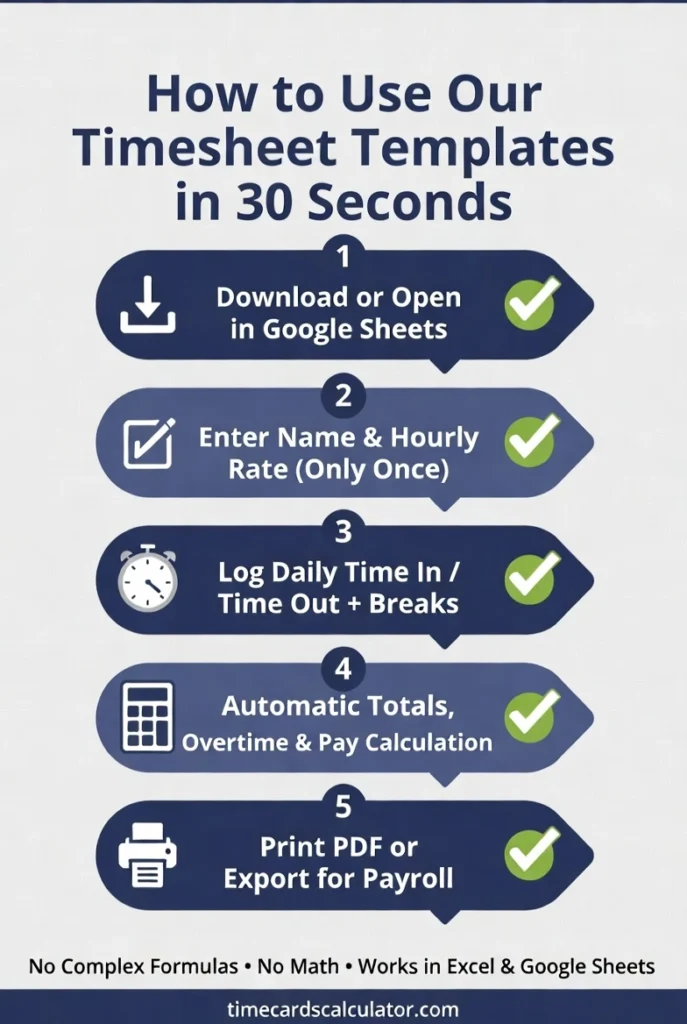
Before you scroll, here’s how these templates work. Every template works in Excel and Google Sheets. Download the file, enter your details once, and the hours, overtime, and pay calculate themselves. No formulas to write. No math to double-check.
If you just need something to print and fill in by hand, grab the PDF version. And if you’d rather skip spreadsheets entirely, our free Time Card Calculator does the same thing online in seconds. Now pick the timesheet template that fits your schedule as per the time categories/ time types underneath:
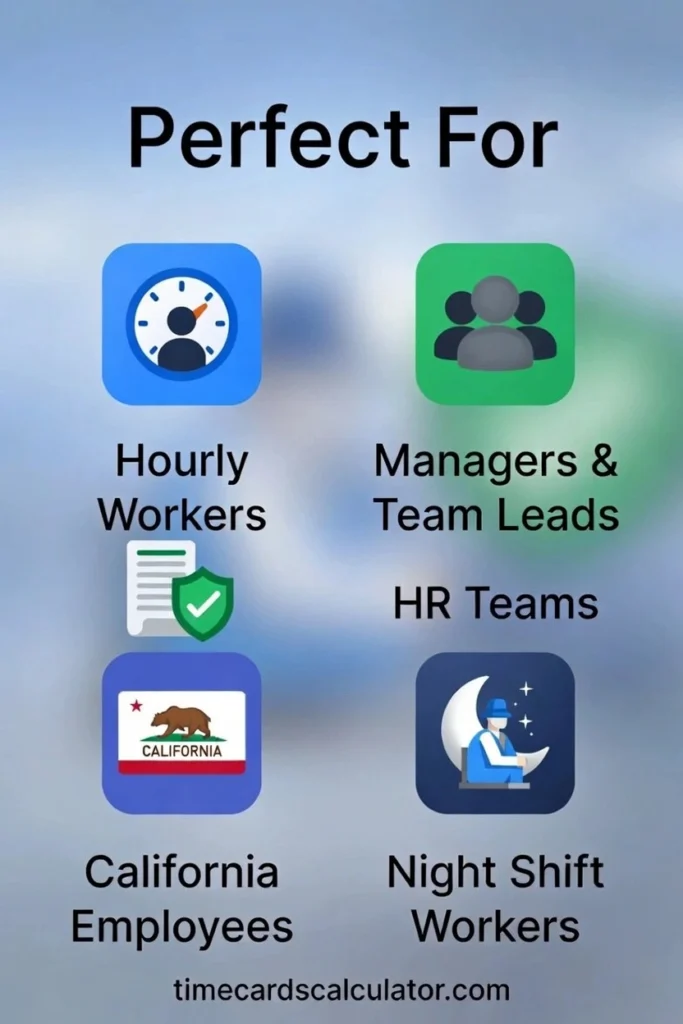
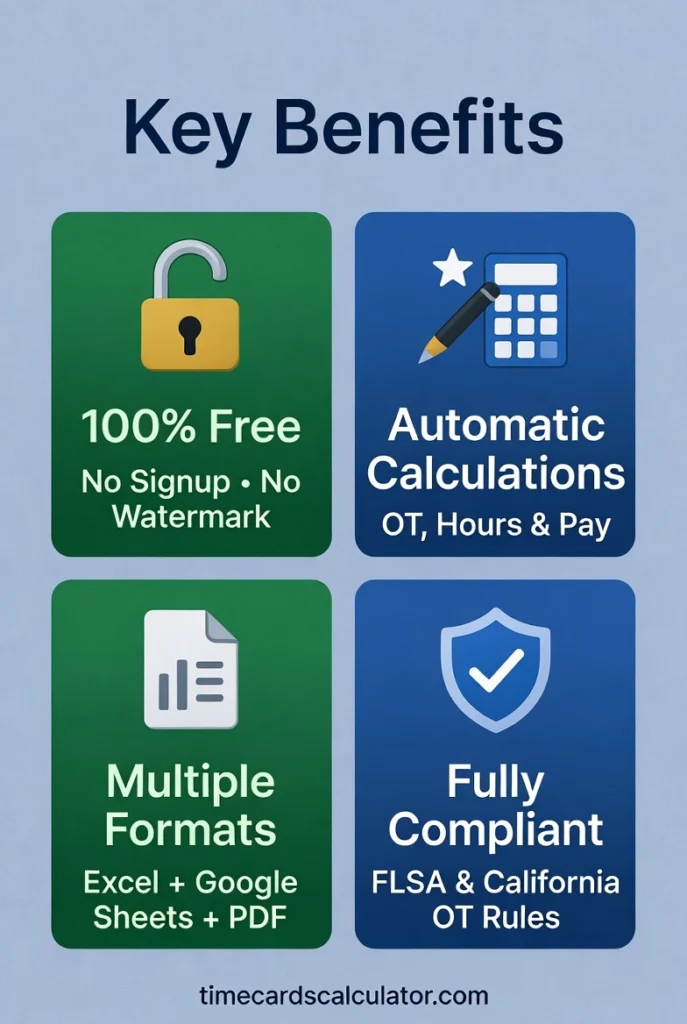
Table of Contents
Free Timesheet Templates – Weekly, Biweekly, Monthly & More
Weekly Timesheet Template The most commonly used format, tracks Monday through Sunday with automatic overtime and gross pay calculation. Works well for hourly workers on a standard 5-day schedule.
Biweekly Timesheet Template Covers two full work weeks in a single sheet. Automatically totals hours for both weeks and separates regular from overtime hours. If you get paid every two weeks, this is the one.
Monthly Timesheet Template Tracks all 31 days in one place with daily time in/out, lunch deduction, regular hours, overtime, and a running total at the bottom. Good for salaried workers who still need attendance records, or anyone who wants a full monthly picture.
Overtime & Compliance Timesheet Templates
Overtime Timesheet Template Built around the federal overtime rule, regular hours up to 8 per day, OT at 1.5x from 8 to 12 hours, and double time beyond 12. If you regularly work long days, this template handles the math correctly where a basic template usually doesn’t.
California OT Timesheet Template California has its own overtime rules, stricter than federal law, and a separate formula for the 7th consecutive workday. This template follows California Labor Code §510 exactly: 1.5x after 8 hours, double time after 12, and double time on the 7th day. If you work in California, the standard overtime template won’t cut it.
FLSA Compliance Timesheet Tracks cumulative weekly hours against the federal 40-hour overtime threshold as required under 29 U.S.C. § 207. Useful for non-exempt employees in industries where FLSA compliance documentation is audited.
Specialized Timesheet Templates
Night Shift Timesheet Template Overnight shifts that cross midnight break every standard timesheet formula, because Time Out ends up earlier than Time In. This template handles that correctly, and includes a night differential pay column (set to 10% by default, fully editable).
Hourly Timesheet Template A stripped-down daily tracker, time in, time out, break in minutes, hours worked, hourly rate, daily pay. No weekly summary, no overtime logic. Good for day workers, gig workers, or anyone who just needs a clean daily record.
Work Hours & Lunch Breaks Timesheet Tracks work start, lunch out, lunch back, and work end separately, giving you both lunch duration and paid hours in one sheet. Useful for workplaces with a strict 30-minute unpaid meal break policy and 15-minute paid rest breaks.
Team & HR Timesheet Templates
Hourly Team Timesheet Tracks an entire team on one sheet, employee names, hourly rates, daily hours Monday through Friday, total hours, and total pay. Managers can see the whole week for multiple employees at a glance without juggling separate files.
HR & Payroll Timesheet The most detailed template in the collection. Includes regular hours, overtime hours, sick hours, vacation hours, holiday hours, and total pay, all on one row per day. Built for HR departments that need a complete payroll-ready record for each employee.
Division of Labor Timesheet Tracks time by task, project, and department, not just clock in and clock out. Each row is a separate task entry with a notes column. Good for employees who split their day across multiple projects or clients.
Timecard Templates
Timecard Template The classic punch-card format, Clock In, Clock Out, Lunch Out, Lunch In, Total Hours, and a Status column that automatically flags shifts under 4 hours for review. Simple and fast.
Timecard & Timesheet Combined Template Two formats in one file, a traditional timecard section at the top (AM In, AM Out, PM In, PM Out) and a full timesheet section below. Useful for workplaces that use both formats or are switching from one to the other.
Exempt Employee Timesheet Template Exempt (salaried) employees aren’t eligible for overtime, so this template skips pay calculations entirely and focuses on attendance, project codes, sick leave, and vacation. Useful for HR departments tracking salaried staff hours for project management purposes.
All Timesheet Templates – Quick Reference Table
S # | Template | Best For | Pay Period |
|---|---|---|---|
1 | Weekly Timesheet Template | Hourly workers, most common use | Weekly |
2 | Biweekly Timesheet Template | Employees paid every two weeks | Biweekly |
3 | Monthly Timesheet Template | Full monthly attendance tracking | Monthly |
4 | Overtime Timesheet Template | Workers with regular long days | Weekly |
5 | California OT Timesheet Template | California non-exempt employees | Weekly |
6 | FLSA Compliance Timesheet Template | Federal compliance documentation | Weekly |
7 | Night Shift Timesheet Template | Overnight workers, midnight crossover | Weekly |
8 | Hourly Timesheet Template | Gig workers, daily pay tracking | Daily |
9 | Work Hours & Lunch Timesheet Template | Strict break-policy workplaces | Weekly |
10 | Hourly Team Timesheet Template | Managers tracking multiple staff | Weekly |
11 | HR & Payroll Timesheet Template | HR departments, full payroll records | Weekly |
12 | Division of Labor Timesheet Template | Multi-project / multi-client workers | Weekly |
13 | Timecard Template | Simple clock in/out tracking | Weekly |
14 | Timecard & Timesheet Template Combined | Transitional or dual-format workplaces | Weekly |
15 | Exempt Employee Timesheet Template | Salaried staff attendance | Weekly |
These templates are built by timecardscalculator.com, a free time tracking resource used by hourly workers, HR managers, and small business owners to calculate their overtime and lunch break time.
What Every Timesheet Template Includes
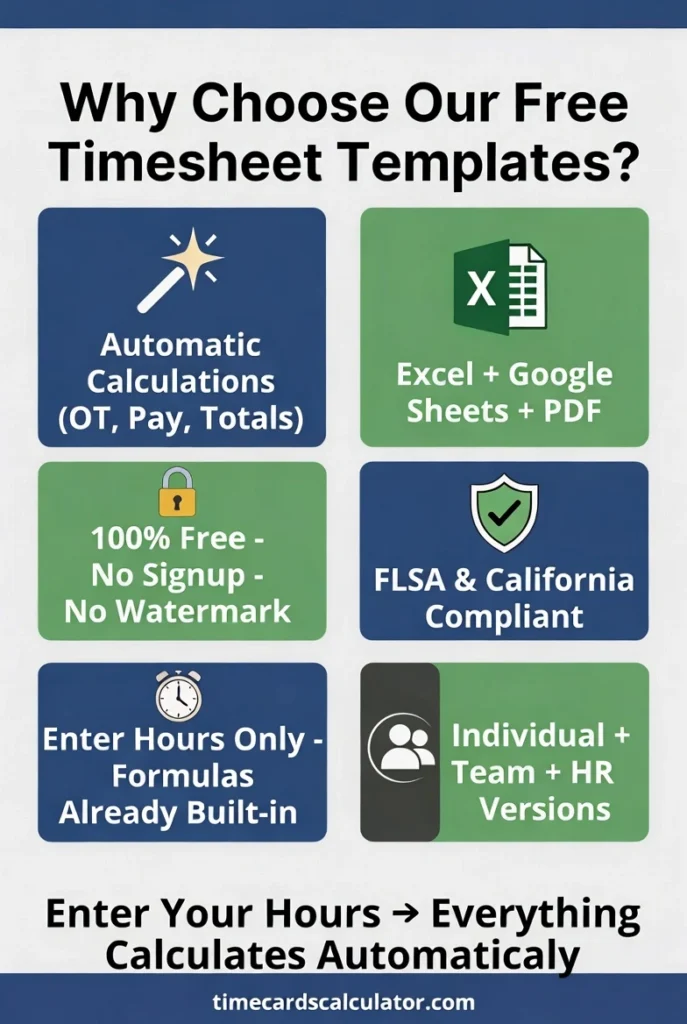
Every timesheet template in this collection was built around the same core idea, you enter your hours & the sheet handles everything else. Whether you’re an hourly worker verifying your paycheck or a small business owner running weekly payroll, the math should never be your problem.
Each timesheet template comes pre-loaded with automatic hour & gross pay calculations, editable fields for your hourly rate and overtime threshold, a print-ready single-page layout & full compatibility with Excel 2010 & above as well as Google Sheets.
No macros, no plugins, no account required.
How to Use These Free Customizable Timesheet Templates
Download in your preferred format as per the required task & ease of work. Every template in this collection works across four formats so you can use it exactly the way your workflow demands. Whether you prefer working live in a browser, running calculations offline in Excel, printing a clean copy for your records, or submitting a Word document to HR, there is a format that fits.
Pick your format below, follow the steps & you are tracking hours in under two minutes. No conversions, no reformatting, no extra steps.
Open as Google Sheets
Click “Open in Google Sheets”, it saves a personal copy straight to your Google Drive. Every formula carries over perfectly. Nothing to install.
Download as Excel file
Download the file, open the sheet that matches your pay schedule, enter your name and rate once at the top, then log your hours daily. All totals update automatically.
Download as PDF
Need a print-ready version? Open the file in Google Sheets or Excel, then go to File → Download → PDF. Your timesheet prints clean on a single page, ready to sign, submit, or keep for your own records.
Download as Word document
Open the file in Google Sheets, then go to File → Download → Microsoft Word (.docx). You get a fully editable Word version, perfect if your
employer or HR department requires submissions in Word format.
How to choose the right timesheet template?
Choosing the right timesheet template is important to track hours as per your desired target. Not sure which one to pick? This short video covers everything you need to decide in under 15 minutes, watch our free video tutorial to understand which template works best for your situation. In this video we cover: –
- Weekly vs monthly timesheet, which one suits you
- How to track overtime hours correctly
- Best template for small business owners
- How to calculate breaks and lunch hours
- Payroll-ready decimal time conversion
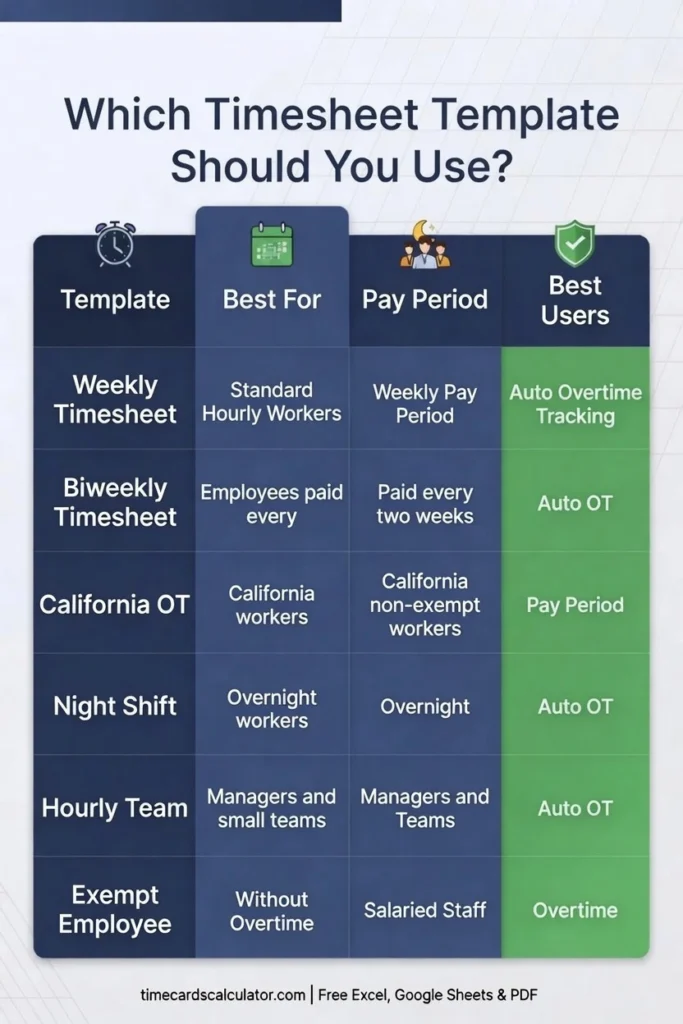
to use? Weekly and biweekly
templates work for standard hourly
workers, California OT covers
daily overtime rules, night shift
handles overnight calculations,
hourly team tracks multiple
employees, and exempt employee
works for salaried staff, all
free at timecardscalculator.com.
Test your knowledge with free timesheet Flash Cards
Understanding timesheet rules is one thing, actually remembering them under payroll pressure is another. These free flashcards cover everything from overtime thresholds and FLSA rules to break deductions & decimal time conversion. A quick 5-minute review before payday can save you from costly mistakes.
People Also Ask
Which timesheet template should I use?
It depends on your pay schedule. Weekly and biweekly timesheet templates are the most common choice for hourly workers in the US. If you are in California, use the California OT template, standard federal overtime formulas do not match California state law, which requires daily overtime after 8 hours. Not sure where to start? The weekly template covers most situations and works for both full-time and part-time employees.
Do these timesheet templates calculate overtime automatically?
Most of them do, yes. The weekly, biweekly, monthly, overtime, California OT, FLSA & night shift templates all include automatic overtime separation based on your personal daily threshold and OT multiplier. You set your rate and threshold once at the top and the sheet handles the rest. The hourly & exempt employee templates do not include OT tracking, they are designed for straight-time hourly logging and salaried employee records respectively.
Do these timesheet templates work in Google Sheets?
Yes, all timesheet templates work in Google Sheets. Click “Open in Google Sheets” and a personal copy saves directly to your Google Drive, no download needed. Every formula, overtime calculation, and gross pay total transfers perfectly. You can also download as PDF or Word directly from Google Sheets via File → Download.
Can I change the hourly rate or OT – overtime threshold?
Yes. Every editable field is clearly labeled at the top of each sheet. Change your hourly rate, overtime threshold, or OT multiplier once and every calculation across the entire sheet updates instantly. For example, if your state requires daily overtime after 10 hours instead of 8, just update the threshold field. No formulas to edit, no cells to unlock.
Is there a template for tracking multiple employees?
Yes. The Hourly Team Timesheet (template 12) tracks multiple employees on a single sheet, each worker gets their own row with daily totals & overtime separation calculated automatically. For more detailed payroll records, the HR and Payroll Timesheet (template 15) goes further and covers sick leave, vacation, holiday hours, and gross pay alongside regular and overtime hours. Both templates work in Excel and Google Sheets.
Are these timesheet templates really free?
Yes, completely free. No email address, no account, no watermark, no trial period & no hidden upsell. Every template in this collection is available to download or open in Google Sheets instantly. You get the full file with all formulas, all tabs, and all features, exactly as described. No strings attached.
Also Try Our Free Time Card Calculator
Prefer not to use a spreadsheet? Our free Time Card Calculator is one of the simplest and best time card calculators online, it lets you enter your start time, end time, and breaks, and it calculates your total hours with pay instantly. No download required, no signup.
Related: TimeSheet Pro – Excel Weekly & Monthly Template | California Overtime Rules | How to Convert Decimal Time