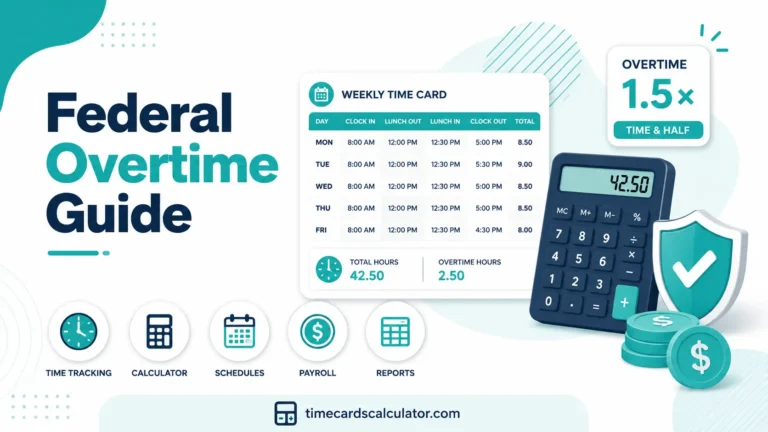
Quick Answer: A time card calculator for multiple employees tracks each worker’s clock-in, clock-out, breaks & overtime separately per pay period. Every employee needs their own record with daily totals, overtime category breakdowns, and gross pay, calculated using whichever overtime rule applies to that worker.
Calculating hours for one employee is simple enough. Calculating hours for five, ten, or fifteen employees, each with different schedules, different pay rates, and different overtime situations, is where payroll mistakes start to compound.
This guide covers how to manage multiple employee time cards accurately, what to watch for when different workers follow different rules, and how to build a process that keeps payroll right every single pay period.
Table of Contents
Why Multiple Employees time card Makes Payroll More Complex
When you manage a single worker, one error affects one paycheck. When you manage a team, one systematic error, a wrong overtime rule, a missed break deduction, an incorrect pay rate, affects every employee it touches, every pay period, for as long as it goes uncorrected.
The most common sources of payroll errors in multi-employee businesses aren’t dramatic mistakes. They’re small, repeatable ones: applying the wrong overtime rule to a group of workers, forgetting that one employee has a different pay rate, or missing a state-specific rule that applies to some workers but not others.
A clear process, applied consistently, prevents all of these.
Step 1: Set Up a Separate Time Card for Each Employee
Every employee needs their own time card record, separate from everyone else’s. Combining multiple workers into a single document or spreadsheet creates confusion, makes errors harder to spot, and produces records that are difficult to use in a dispute.
Each multiple employee time card should include:
- Employee name
- Pay period start and end dates
- Daily clock-in and clock-out times
- Break time for each day (paid and unpaid separately)
- Total hours worked per day
- Weekly or pay period total
- Regular hours, overtime hours, and double-time hours broken out separately
- Hourly pay rate
- Gross pay calculation
When every employee’s record contains the same fields in the same format, reviewing a stack of time cards before payroll becomes a consistent check rather than a guessing exercise.
Step 2: Know Which Rules Apply to Each Employee
Not all employees follow the same rules. Before calculating hours for any worker, confirm which of the following apply to them.
Overtime Rule
Federal FLSA standard is overtime after 40 hours per week. California adds overtime after 8 hours per day. Some employers use alternative workweek schedules with different thresholds. Know which rule applies to each employee before running any calculations.
Pay Rate
Employees on different hourly rates need separate calculations. Mixing rates, even accidentally, produces wrong totals that can be hard to trace back to the source.
Exempt or Non-Exempt Status
Exempt employees are not entitled to overtime regardless of hours worked. Non-exempt employees are. Don’t apply overtime calculations to exempt workers, and don’t skip overtime for non-exempt workers, even if they’re paid a salary.
State
If your business has employees in multiple states, each state’s rules apply to the workers in that state. A team where some members work in California and others work in Texas requires two different overtime configurations.
Pay Period
Some employees may be paid weekly while others are paid biweekly. Overtime is always calculated within a single workweek, it can’t be averaged across two weeks regardless of how long the pay period is.
Step 3: Calculate Hours in the Right Order
Working through time cards in a consistent order reduces errors significantly.
Calculate Daily Totals First
For each employee, add up the hours for each individual day before moving to weekly totals. This is especially important for California employees, where daily overtime must be identified before the weekly calculation runs.
Subtract Unpaid Breaks at the Daily Level
Don’t wait until the weekly total to deduct lunch breaks. Subtract unpaid breaks from each day’s hours before calculating that day’s total — this ensures daily overtime thresholds are triggered correctly.
Identify Overtime: Daily First, Then Weekly
In California: check each day for hours over 8 and hours over 12, then check the week for hours over 40. In other states: check the week only.
Apply Pay Rates Last
Once hours are correctly categorized as regular, overtime, or double-time, apply the appropriate rate to each category and sum for gross pay.
Sample Multi-Employee Payroll Calculation
Here’s a practical example with three employees on different rules.
Employee 1: David (Texas, Federal Rules, $18/hour)
| Day | Hours Worked | Regular | Overtime |
|---|---|---|---|
| Monday | 8 | 8 | 0 |
| Tuesday | 9 | 9 | 0 |
| Wednesday | 8 | 8 | 0 |
| Thursday | 9 | 9 | 0 |
| Friday | 8 | 6 | 2 |
| Total | 42 | 40 | 2 |
- Regular pay: 40 × $18 = $720
- Overtime pay: 2 × $27 = $54
David’s gross pay: $774
Employee 2: Ana (California, $20/hour)
| Day | Hours | Regular (≤8) | OT 1.5x (8–12) | DT 2x (>12) |
|---|---|---|---|---|
| Monday | 10 | 8 | 2 | 0 |
| Tuesday | 8 | 8 | 0 | 0 |
| Wednesday | 13 | 8 | 4 | 1 |
| Thursday | 7 | 7 | 0 | 0 |
| Friday | 7 | 7 | 0 | 0 |
| Total | 45 | 38 | 6 | 1 |
- Regular pay: 38 × $20 = $760
- Overtime pay: 6 × $30 = $180
- Double-time pay: 1 × $40 = $40
Ana’s gross pay: $980
Ana worked 45 hours total but only 38 are straight-time hours. The remaining 7 are already counted as daily overtime, the anti-pyramiding rule means they don’t also trigger weekly overtime.
Employee 3: Marcus (Texas, Salaried Non-Exempt, $600/week)
Marcus is salaried but non-exempt. This week he worked 47 hours.
| Half-Time Overtime Method (Fluctuating Workweek) |
| Regular rate: $600 ÷ 40 = $15.00/hour |
| Overtime hours: 7 |
| OT premium: $15.00 × 0.5 = $7.50/hour (half-time on top of salary) |
| Marcus already receives $600 covering all 47 hours. |
| Additional OT owed: 7 × $7.50 = $52.50 |
| Marcus’s gross pay: $652.50 |
This calculation, the fluctuating workweek method, applies specifically to salaried non-exempt employees whose hours vary week to week. It’s one of the most commonly misunderstood areas of payroll for small business owners.
Three-Employee Summary
| Employee | State | Hours | Rate | Regular Pay | OT/DT Pay | Gross Pay |
|---|---|---|---|---|---|---|
| David | Texas (Fed) | 42 hrs | $18/hr | $720.00 | $54.00 | $774.00 |
| Ana | California | 45 hrs | $20/hr | $760.00 | $220.00 | $980.00 |
| Marcus | Texas (Salary) | 47 hrs | $600/wk | $600.00 | $52.50 | $652.50 |
| Total | $2,080.00 | $326.50 | $2,406.50 |
Step 4: Review Before Submitting
Before submitting any payroll run, check each employee’s time card against these points.
| Pre-Payroll Review Checklist |
| ☐ Every day has a clock-in AND clock-out entry |
| ☐ Unpaid breaks are deducted at the daily level |
| ☐ Weekly total matches the sum of daily totals |
| ☐ Overtime rule is correct for each employee’s state |
| ☐ Gross pay spot-checked: hours × rate matches the total |
| ☐ Salaried non-exempt employees have overtime applied if hours > 40 |
Correcting a pay run after submission is significantly more work than catching it beforehand. Five minutes of review before approval catches most mistakes.
Managing Employees With Different Pay Periods
Some businesses pay different groups on different schedules, office staff biweekly, hourly workers weekly. Overtime is always calculated per workweek, regardless of pay period length. An employee paid biweekly still has overtime calculated separately for each of the two weeks in the pay period. You cannot combine hours from both weeks to reduce overtime.
Keep time cards organized by pay period and by employee group. Mixing weekly and biweekly employees in the same review creates confusion about which records are being approved for which period.
Common Errors in Multi-Employee Payroll
Applying One Employee’s Pay Rate to Another
When processing multiple time cards in sequence, it’s easy to carry the wrong rate from one employee to the next, especially in spreadsheets. Always verify the rate on each individual record before calculating gross pay.
Using the Wrong Overtime Rule for Employees in Different States
If any of your employees work in California, their time cards require daily overtime calculations. Federal-only calculations will systematically underpay them, and the error compounds every pay period it goes uncorrected.
Forgetting That Salaried Non-Exempt Employees Earn Overtime
A salary does not eliminate overtime for non-exempt workers. Many small business owners assume that paying someone a salary means overtime doesn’t apply. For non-exempt employees, it always does, regardless of how they’re paid.
Not Keeping Records for Terminated Employees
FLSA requires payroll records be kept for at least three years, even after an employee leaves. Time records must be kept for at least two years. Discarding records when someone departs creates legal exposure if a wage claim is filed later.
Approving Time Cards Without Reviewing Them
Errors that get approved once tend to repeat. A five-minute review before approval catches most mistakes before they turn into payroll disputes.
Building a Repeatable Weekly Process
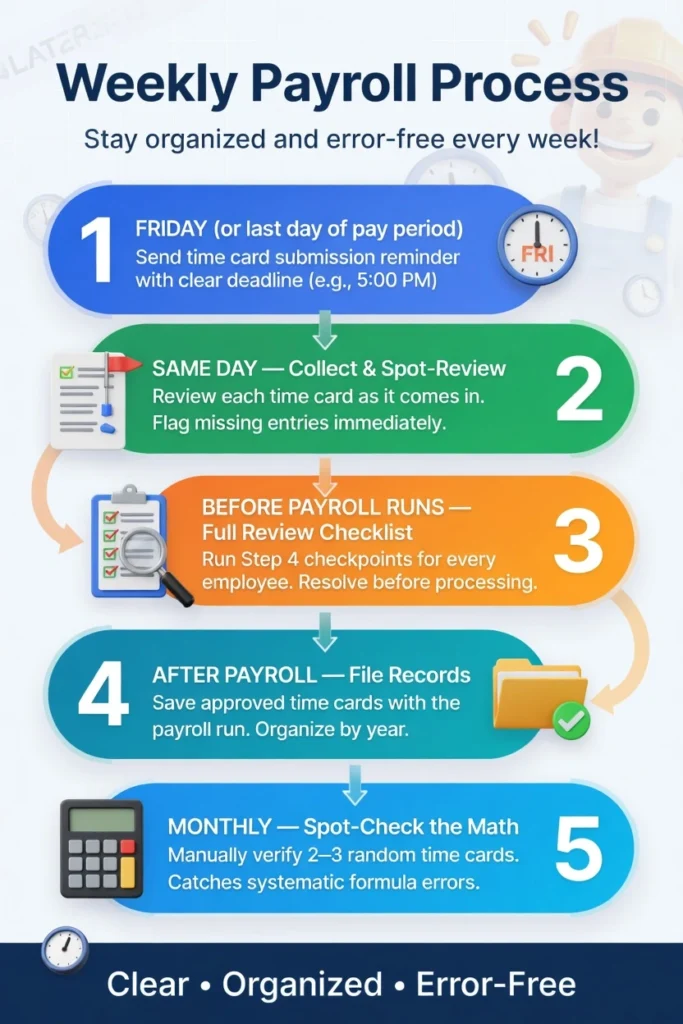
The difference between a payroll process that works and one that creates constant problems is consistency. Here’s a simple routine that keeps multi-employee payroll accurate.
When to Use This Calculator for Multiple Employees
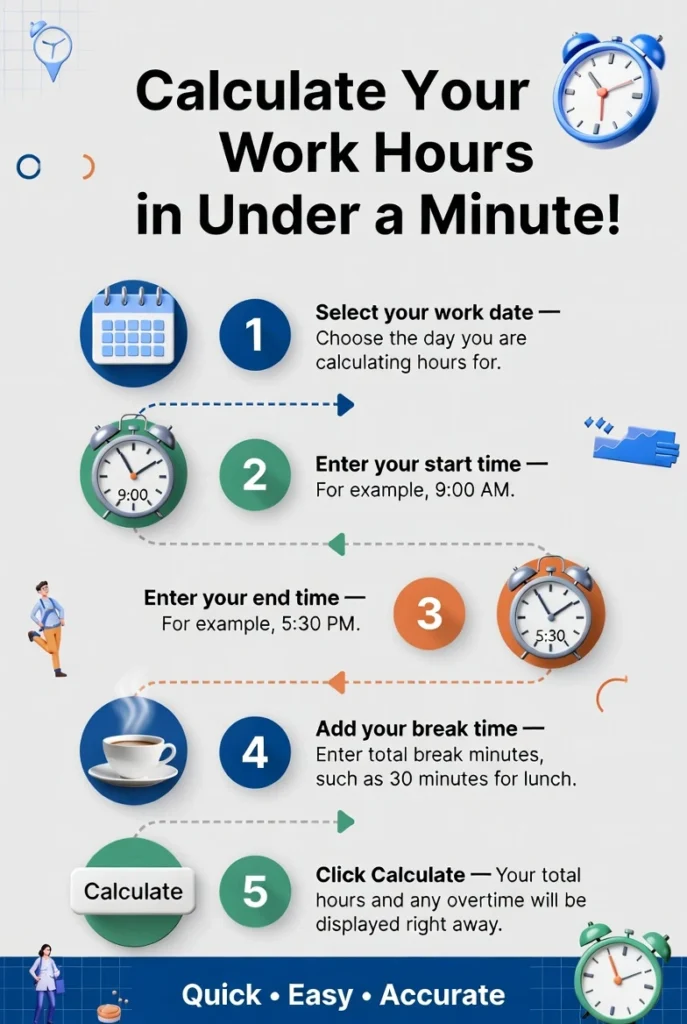
This free time card calculator works well for small teams where manual entry per employee is manageable, you need accurate individual records with different pay rates and overtime rules, and you want downloadable records for each employee separately.
Calculate one employee at a time, download or print each record, then clear the form and enter the next. Each download gives you a separate time card with that employee’s name, dates, hours, and gross pay.
For teams beyond five to seven employees, or if you need automated collection, GPS verification, or direct payroll integration, a dedicated time tracking platform will reduce the manual work significantly.
Frequently Asked Questions (FAQs)
Can I calculate multiple employees time card in one session?
Yes. Calculate one employee, download or print their time card, then clear the form and enter the next employee. Each time card is a separate record.
What if two employees share the same schedule?
Even if the hours are identical, keep separate records for each employee. Their pay rates, overtime rules, or exemption status may differ, and combined records create confusion in a dispute.
Do I need to keep time cards for part-time employees?
Yes. FLSA record-keeping requirements apply to all non-exempt employees regardless of hours. Part-time workers are entitled to the same overtime protections as full-time workers if they exceed 40 hours in a week.
My employee worked in two states this week. Which overtime rule applies?
Generally, each state’s rules apply to hours worked within that state. If an employee worked three days in California and two in Texas, California daily overtime applies to the California days and federal rules apply to the Texas days. Consult an employment attorney if this comes up regularly.
How long do I need to keep employee time cards?
Under FLSA, payroll records must be kept for at least three years. Time records, the actual time cards showing hours worked, must be kept for at least two years. Many employers keep all records for three years to simplify compliance.
Can I use the same overtime rules for all employees to make it simpler?
Only if those rules are at least as generous as what each employee is legally owed. You can apply California daily overtime rules to all employees, that gives everyone more protection than federal rules require. You cannot apply federal-only rules to California employees, as that would underpay them.
Conclusion
Managing time cards for multiple employees isn’t complicated, but it requires consistency. The same process, applied the same way, for every employee, every pay period, catches errors before they affect paychecks and creates records that protect both the business and its workers.
Start with a separate record for each employee, confirm which rules apply to each one, calculate in the right order, and review before submitting. Follow that process every pay period and multi-employee payroll becomes predictable and accurate.
[ Use the Free Time card Calculator ]
Related: Timesheet Templates | Exempt vs Non-Exempt Employees | California Overtime Rules | 7 Minute Rule Explained | Military Time