
Free Monthly Timesheet Template: Excel & Google Sheets
Quick Answer: A monthly timesheet template tracks an entire calendar month, all 31 days, on a single sheet. It records daily time in, time out, and lunch breaks, calculates regular and overtime hours for each day, groups them into weekly subtotals, and combines everything into one monthly total. Overtime is still calculated per week, not per month, because the FLSA requires overtime to be based on a single workweek, even when the pay period is monthly. Best suited for salaried employees, monthly or semimonthly payroll, and HR attendance records. Download it free in Excel, open it in Google Sheets, or print the PDF, no signup required.
Some jobs don’t run on a neat weekly or biweekly cycle. Maybe your payroll runs once a month. Maybe your manager just wants one document at the end of the month instead of four separate weekly sheets. Or maybe you’re salaried and don’t deal with overtime at all, but HR still needs an attendance record for the month.
That’s what a monthly timesheet template is for. Instead of stitching together four or five weekly sheets, you get the whole month, every day, in one place. Daily hours, weekly subtotals, and a single monthly total at the bottom.
Our free monthly timesheet template covers all 31 days, tracks time in, time out, lunch breaks, regular hours, and overtime, and works in Excel, Google Sheets, and PDF.
Table of Contents
What Is a Monthly Timesheet Template?
A monthly timesheet template is a spreadsheet that records an employee’s work hours for an entire calendar month, day by day. It captures time in, time out, and lunch breaks for each date, calculates regular and overtime hours, and groups everything into weekly subtotals before producing one combined total for the month. The idea is the same as a weekly timesheet, just stretched across roughly four to five weeks instead of one.
This format is especially common for salaried employees, monthly payroll cycles, and businesses that prefer a single document per employee per month rather than a stack of weekly files.
What’s Inside This Monthly Timesheet Template
| Column | What It Does |
|---|---|
| Date | All 31 days of the month, labeled |
| Day of Week | Automatically matches the date |
| Time In | Daily shift start time |
| Time Out | Daily shift end time |
| Lunch Break (hrs) | Deducted from the daily total automatically |
| Regular Hours | Hours up to 8 per day, calculated automatically |
| Overtime Hours | Hours over 8 per day, calculated automatically |
| Daily Total | Regular plus overtime for that day |
| Weekly Subtotal | Running total at the end of each week |
| Monthly Total | Combined regular hours, overtime hours, and gross pay for the month |
At the top of the sheet: employee name, department, manager name, hourly rate, and the month being tracked. You fill these in once at the start of the month.
Who Uses a Monthly Timesheet Template
Salaried employees who don’t need overtime calculations but still have to submit attendance records each month. Businesses running monthly payroll instead of weekly or biweekly cycles. Managers who’d rather review one document per employee per month than open four or five separate weekly files. Remote teams and freelancers who invoice clients monthly and need a single hours summary to attach to an invoice. HR departments archiving monthly attendance records for compliance purposes.
If your pay period is weekly, the Weekly Timesheet Template is the more direct fit. If you’re paid every two weeks, the Biweekly Timesheet Template lines up better with your pay schedule.
How to Fill Out a Monthly Timesheet
It looks like a lot at first glance, but the process is identical to a weekly timesheet, just repeated for every day in the month.
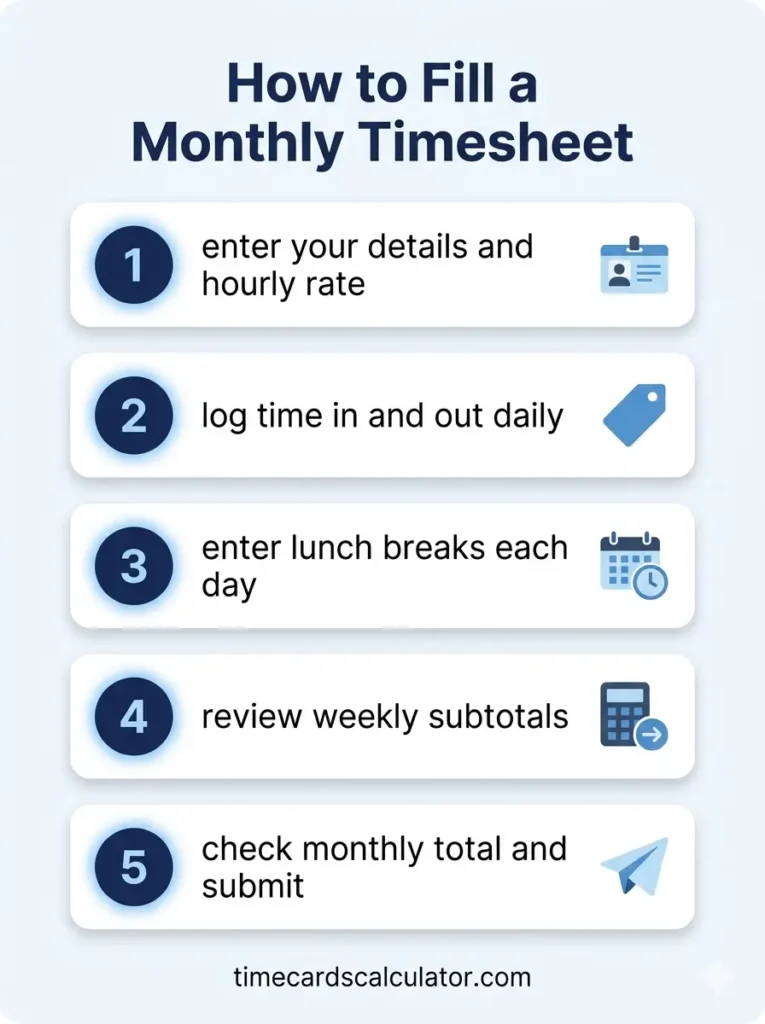
Step 1: Enter your details at the top of the sheet Employee name, department, manager name, hourly rate, and the month you’re tracking. This is a one time setup at the start of each month.
Step 2: Log your time in and time out daily For each date, enter your start and end time. Don’t skip weekends if you worked them, and leave the row blank for days off so the template doesn’t count them as zero hour shifts.
Step 3: Enter your lunch break each day Use decimal hours, 0.5 for thirty minutes, 1 for a full hour. This gets deducted from your daily total automatically.
Step 4: Let the formulas calculate as you go Regular hours, overtime hours, and daily totals update on their own. By the end of each week, the weekly subtotal is already calculated.
Step 5: Check the monthly total at the end Once all 31 days are filled in, the monthly total combines regular hours, overtime hours, and gross pay for the entire month. Review it, then submit to your manager or HR for payroll.
How Overtime Works on a Monthly Timesheet
This part trips people up, so it’s worth slowing down on.
Overtime is not calculated for the month as a whole. Under the FLSA, overtime is a weekly concept, calculated separately for each individual workweek, regardless of how long your pay period is. A month isn’t a clean multiple of weeks, it’s usually four full weeks plus a few extra days, sometimes splitting a week across two months.
Our monthly timesheet template handles this by breaking the month into weekly blocks and calculating overtime within each block separately, the same way it would on a standalone weekly timesheet. The weekly subtotals you see throughout the sheet are not just for convenience, they’re how overtime stays accurate. The monthly total at the bottom is simply the sum of those weekly results.
If you’re in California, daily overtime after 8 hours and double time after 12 hours also apply on top of the weekly rule. The California OT Timesheet Template is built specifically around those rules.
Monthly Timesheet vs. Weekly and Biweekly: Which Should You Use?
This comes down to how your pay period works, not personal preference.
If you’re paid weekly, a monthly timesheet is overkill, you’d be filling in 31 rows when four separate weekly sheets would match your actual pay schedule better. Use the weekly template.
If you’re paid every two weeks, a monthly template doesn’t line up cleanly either, your pay periods will sometimes split across two months. The biweekly template tracks exactly 14 days at a time, matching your actual paycheck cycle.
A monthly timesheet makes the most sense if you’re paid monthly or semimonthly, salaried with no overtime to track, or you simply want one attendance document per month regardless of how payroll processes it. Semimonthly pay (twice a month, on fixed dates like the 1st and 15th) doesn’t divide evenly into weeks either, but a monthly view at least keeps everything in one place for the relevant calendar period.
Excel vs. Google Sheets vs. PDF
Excel (.xlsx) Download the file and open it in Excel 2010 or later. With 31 rows of formulas, Excel handles larger sheets smoothly and is a good choice if you’re archiving monthly files locally or your payroll software imports from Excel directly.
Google Sheets Click “Open in Google Sheets” and a personal copy saves to your Google Drive. Good for teams who want a manager to be able to view or comment on the sheet throughout the month without emailing files back and forth.
PDF A blank, printable layout for the full month. Useful if you need a signed paper copy for HR records or you’re filling it in by hand on site.
Tips for Managing a Month Long Timesheet
Fill it in weekly, not all at once. Trying to reconstruct 20 plus days of start and end times from memory at the end of the month is exactly how errors creep in. Set a reminder to update it every Friday.
Watch for weeks that span two months. If the last few days of the month fall into what would otherwise be the first days of next month’s “week one,” decide upfront whether those days belong to this sheet or the next one, and stay consistent.
Use the weekly subtotals as a checkpoint. If a week’s total looks off, it’s much easier to spot and fix the error within that week than to try and find it buried in a month of data later.
Keep one file per month. Name it clearly, “Timesheet-July-2026.xlsx”, so payroll history stays organized and searchable.
Monthly vs. Weekly vs. Biweekly: Quick Comparison
| Weekly | Biweekly | Monthly | |
|---|---|---|---|
| Days covered | 7 | 14 | 28 to 31 |
| Best for | Weekly payroll | Pay every 2 weeks | Monthly or semimonthly payroll |
| Overtime calculated | Per week | Per week, separately for each | Per week, grouped within the month |
| Typical user | Hourly workers | Most common US pay schedule | Salaried staff, HR attendance |
| Related template | Weekly Timesheet | Biweekly Timesheet | This page |
Frequently Asked Questions (FAQs)
What is a monthly timesheet template?
A monthly timesheet template is a spreadsheet that records an employee’s work hours for every day of a calendar month. It tracks time in, time out, and lunch breaks daily, calculates regular and overtime hours, groups them into weekly subtotals, and produces one combined total for the month.
Is overtime calculated monthly or weekly?
Weekly, even on a monthly timesheet. The FLSA requires overtime to be calculated per workweek, not per pay period or per month. A monthly template breaks the month into weekly blocks and calculates overtime within each block, then sums the weekly results into a monthly total.
Should I use a monthly or a biweekly timesheet?
It depends on your pay schedule. If you’re paid every two weeks, a biweekly timesheet matches your actual pay period exactly. If you’re paid monthly or semimonthly, or you’re salaried and just need an attendance record, a monthly timesheet fits better. Biweekly timesheets are designed to align with paychecks, monthly timesheets are designed to align with calendar months.
Does this monthly timesheet template work in Google Sheets?
Yes. Click “Open in Google Sheets” and a personal copy saves to your Google Drive. All formulas, including the weekly subtotals and monthly total, carry over exactly as they work in Excel.
Can I use this for salaried employees with no overtime?
Yes. The hourly rate and overtime threshold are editable, and if you’re not tracking overtime at all, you can simply leave the overtime threshold high enough that it never triggers, or use the sheet purely as an attendance log.
Is this template free?
Yes, completely free. No email, no account, no watermark. Download the Excel file, open it in Google Sheets, or print the PDF as many times as needed.
Can I customize the hourly rate or overtime threshold?
Yes. Both are editable fields at the top of the sheet. Update them once and every row recalculates automatically, including all weekly subtotals and the monthly total.
In short
In short, a monthly timesheet template gives you a single document for the whole month, with daily entries, weekly subtotals that keep overtime accurate, and one combined total at the end. It’s the right choice if your pay cycle is monthly or semimonthly, or if you just want everything in one place. Download it in Excel, open it in Google Sheets, or print the PDF, free, no signup required.
Other Timesheet Templates You Might Need
- Weekly Timesheet Template, standard 7 day format with overtime
- Biweekly Timesheet Template, two week pay period with automatic totals
- California OT Timesheet Template, follows CA Labor Code §510
- All 15 Free Timesheet Templates, complete collection
Also Try Our Free Time Card Calculator
If you’d rather not deal with a spreadsheet at all, our free Time Card Calculator lets you enter your start time, end time, and breaks online, and calculates your total hours and pay instantly. Nothing to download, nothing to install.
Parent page: Free Timesheet Templates